Table of Contents
Planning an overseas trip? Whether you are travelling for a holiday, business meeting, education or a long-term stay, having reliable mobile internet makes your journey easier. You need data to use Google Maps, book transport, check flight updates, access travel documents and stay in touch with family.
However, international roaming can be expensive, while buying a local SIM card after landing may take time. A convenient alternative is to buy an international travel eSIM online before you leave.
An international travel eSIM is a digital SIM that lets you download a mobile data plan to a compatible smartphone. You can purchase it online, install it digitally and use it at your destination according to the plan’s coverage and activation terms.
But where should you buy one? What should you check before paying? And how can you choose a plan that suits your trip?
This guide explains where to buy an international travel eSIM online, how to compare providers and how to get started with Mapians Travel eSIM.
Where to Buy an International Travel eSIM Online
You can buy an international travel eSIM directly from a travel eSIM provider, a mobile network operator or an online marketplace that sells digital SIM plans.
The right option depends on your destination, travel duration, data requirements and budget.
Here are the main places to consider:
1. Buy from an International eSIM Provider
An international eSIM provider offers digital mobile data plans for travellers visiting different countries. Instead of purchasing a separate physical SIM card in every destination, you can select a plan online for the country or region you are visiting.
For example, Mapians Travel eSIM offers eSIM options across more than 190 countries and destinations. You can explore available plans, compare data allowances and validity periods, and choose an option based on your travel requirements.
Why consider an international eSIM provider?
- Browse destination-specific and regional eSIM options online.
- Compare available data allowances and validity periods.
- Purchase before your departure.
- Receive digital installation instructions.
- Avoid searching for a physical SIM card after landing.
- Keep your existing physical SIM in your phone if your device supports dual SIM functionality.
Explore Mapians Travel eSIM plans to check the available destinations and options.
2. Buy Directly from a Local Mobile Network Operator
Many mobile network operators sell prepaid eSIM plans through their official websites or mobile applications.
This can be useful if you are visiting one country for an extended period and need a local mobile number, voice calls or SMS services.
Before purchasing, check:
- Whether the operator sells eSIM plans to international visitors.
- Whether passport or identity verification is required.
- Whether online activation is available before arrival.
- Whether the plan includes calls, SMS and mobile data.
- Whether the plan supports your exact smartphone model.
Local operator plans may have different registration requirements depending on the country.
3. Buy Through an Online eSIM Marketplace
Some online platforms list travel eSIM plans from different network providers. They allow travellers to browse options and compare prices, data allowances and validity periods.
Before buying from a marketplace, review the provider information and plan conditions carefully. Check who supplies the network service, what happens if installation fails, how customer support works and whether refunds are available.
Do not select a plan based only on its advertised price. Coverage, network quality, data limits and support are equally important.
4. Buy from a Travel Connectivity Website Before Departure
A dedicated travel connectivity website can be a convenient option if you want to arrange mobile data before your journey.
For example, you can visit the Mapians website, select your destination and review the available travel eSIM plans.
This approach allows you to prepare your connectivity in advance rather than searching for a SIM card at the airport or in an unfamiliar city.
Why Buy an International Travel eSIM Online?
Buying your travel eSIM online before departure gives you more time to compare plans and understand their terms.
Here are some important advantages.
Get Connected Without Buying a Physical SIM
A travel eSIM is downloaded digitally to a compatible device. You do not need to insert or remove a physical SIM card to install the travel plan.
Prepare Before You Travel
You can purchase your plan before leaving home and follow the provider’s installation instructions. Depending on the plan, installation and activation may happen at different times, so always check the instructions before travelling.
Compare Plans Before Paying
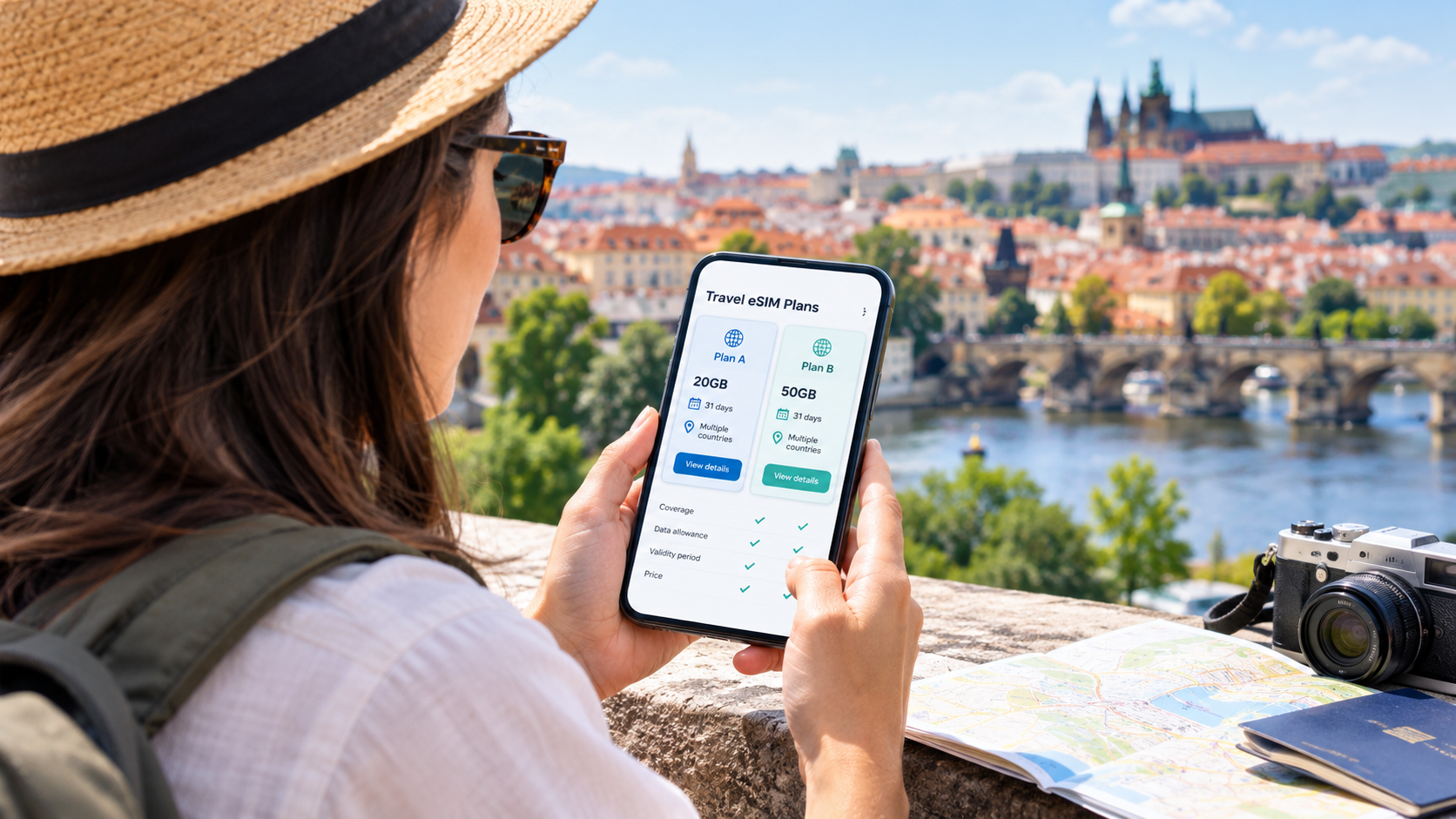
Online purchasing makes it easier to review different data allowances, validity periods, destinations and prices before choosing a plan.
Keep Your Existing SIM Available
On compatible dual-SIM phones, you may be able to keep your home SIM active for calls or messages while using the travel eSIM for mobile data.
Check your home network’s roaming settings carefully. Keeping your home SIM active can still result in roaming charges if it connects to a foreign network or uses services outside your domestic plan.
Useful for Multi-Country Travel
If your itinerary includes multiple countries, a regional or global eSIM may be more convenient than buying a separate plan for each destination.
For example, if you are travelling through France, Germany, Italy and Spain, compare a Europe regional eSIM with individual country plans. Confirm that every country on your itinerary is included before purchasing.
How to Choose the Best International Travel eSIM Online
Not every eSIM plan is suitable for every traveller. Before completing your purchase, compare the following factors.
| What to check | Why it matters |
|---|---|
| Country coverage | Make sure your destination is included. |
| Regional coverage | Check whether every country on your itinerary is supported. |
| Data allowance | Choose enough data for maps, browsing, calls and other apps. |
| Validity period | Match the plan duration to your travel dates. |
| Network availability | Review the supported local networks and coverage information. |
| Hotspot support | Check whether tethering is permitted if you need to connect other devices. |
| Activation policy | Understand when the validity period starts. |
| Customer support | Check how to get help with installation or connectivity problems. |
| Refund conditions | Read the provider’s refund policy before payment. |
1. Check Destination Coverage
First, confirm that the eSIM works in the country you plan to visit. If you are travelling to multiple destinations, verify each country individually.
Do not assume that a plan labelled “Europe” or “Global” automatically includes every country in that region.
2. Choose the Right Data Allowance
Your data requirement depends on how you use your phone.
- Light usage: Messaging, emails, occasional browsing and maps.
- Moderate usage: Social media, regular navigation, browsing and video calls.
- Heavy usage: Frequent video streaming, large downloads, hotspot sharing and remote work.
If you are unsure, estimate your daily usage and multiply it by the number of travel days. Remember that background app updates, cloud backups and video streaming can consume additional data.
3. Check the Validity Period
A plan may be valid for a specific number of days. However, the validity start date can vary by provider and plan.
Some plans start when installed, while others begin when the eSIM first connects to a supported network at the destination.
Read the activation policy before installing your eSIM, particularly if you are purchasing it well before departure.
4. Review Network and Speed Information
An eSIM connects to supported mobile networks in the destination country. Network availability and speed can vary depending on location, local infrastructure, device compatibility and network conditions.
Check which networks are supported and whether 4G or 5G is available for your selected destination and plan.
5. Read the Refund and Support Policy
Before paying, understand the provider’s refund conditions and support channels.
Check whether support is available if your QR code does not work, your device cannot install the eSIM or the plan does not connect at your destination.
Mapians: Buy an International Travel eSIM Online
If you are looking for an online destination-based eSIM provider, Mapians Travel eSIM is an option to consider.
Mapians provides travel eSIM options for more than 190 countries and destinations. Travellers can browse available plans online and select an option based on their destination and connectivity needs.
Why Consider Mapians Travel eSIM?
- 190+ countries and destinations: Explore available eSIM options for international trips.
- Digital delivery: Receive your eSIM installation details digitally after purchase.
- Multiple plan options: Compare available data allowances and validity periods.
- No physical SIM required: Install the eSIM digitally on a compatible device.
- 24/7 support: Get assistance through the available customer support channels.
- 30-day money-back guarantee: Eligible purchases are covered subject to the applicable terms and conditions.
Plan availability, network partners, speeds, data limits and validity periods can differ by destination. Always review the individual plan details before purchasing.
Explore Popular Travel eSIM Destinations
Mapians offers destination-based options for travellers. You can explore the available plans for your next trip.
- Explore international travel eSIM destinations
- Check Europe eSIM options
- Explore Mapians Travel eSIM
Choose your destination to view the available plans and their terms.
How to Buy an International Travel eSIM Online from Mapians
Buying an eSIM online is straightforward. Follow these steps before your departure.
Step 1: Visit the Mapians Website
Open mapians.com using your browser.
Step 2: Select Your Destination
Browse the available destinations and select the country or region you plan to visit.
If your trip includes multiple countries, check whether a regional plan covers all your destinations.
Step 3: Compare Available eSIM Plans
Review the available plans and compare:
- Data allowance
- Validity period
- Supported countries
- Network information
- Price
- Activation instructions
Choose a plan that matches your travel duration and expected data usage.
Step 4: Complete Your Purchase
Select your preferred plan and follow the checkout instructions. Check your order details carefully before completing payment.
Step 5: Receive Your eSIM Details
After purchase, follow the digital delivery instructions provided with your order. Depending on the plan, you may receive a QR code or another installation method.
Step 6: Install Your eSIM
Use a stable Wi-Fi connection to install your eSIM. Follow the instructions for your smartphone and avoid deleting the eSIM profile after installation unless customer support advises you to do so.
Step 7: Activate and Connect at Your Destination
Follow the plan-specific activation instructions. Select the travel eSIM for mobile data when appropriate and enable data roaming on that eSIM if the provider’s instructions require it.
Keep your home SIM’s roaming settings in mind to avoid unexpected charges.
Is Your Phone Compatible with an International Travel eSIM?
Before purchasing, confirm that your smartphone supports eSIM technology and is unlocked for use with another network provider.
Some devices have different SIM capabilities depending on the model or country where they were purchased. A phone name alone is not enough to confirm compatibility.
Check eSIM Compatibility on iPhone
- Open Settings.
- Select General.
- Tap About.
- Look for the Carrier Lock section.
- An unlocked iPhone should show No SIM Restrictions.
- Check whether your device has an option to add an eSIM under Cellular or Mobile Data settings.
Apple lists iPhone XS, iPhone XS Max, iPhone XR and later as eSIM-capable models, subject to regional and model-specific exceptions. Check Apple’s current guidance for your exact device.
Check eSIM Compatibility on Android
The menu names can vary by manufacturer and software version.
- Open Settings.
- Look for Connections, Network & Internet or SIM Manager.
- Check whether an option such as Add eSIM is available.
- Confirm that your device is network-unlocked.
- Check the manufacturer’s compatibility information for your exact model and region.
For more details, read Apple’s official international travel eSIM guide.
Travel eSIM vs International Roaming vs Local SIM
Which connectivity option should you choose for your overseas trip? Compare the main differences below.
| Feature | Travel eSIM | International roaming | Local physical SIM |
|---|---|---|---|
| Purchase method | Online | Through your home operator | At a local shop or online |
| Physical SIM required | No | No, if using an eSIM or existing SIM | Yes |
| Setup | Digital installation | Usually enabled by your operator | Insert and configure |
| Plan options | Destination or regional plans | Depends on your home operator | Depends on local operator |
| Local phone number | Plan-dependent | Usually keeps your home number | Often available |
| Best suited for | Travellers needing prepaid data options | Travellers whose home plan offers suitable roaming | Longer stays or local number requirements |
The best option depends on your destination, usage and existing mobile plan. Compare the total cost and service conditions before deciding.
Common Mistakes to Avoid When Buying an International Travel eSIM
A little preparation can help prevent connectivity problems during your trip.
1. Buying before checking compatibility
Confirm that your exact phone model supports eSIM and is unlocked.
2. Choosing a plan without checking coverage
Check every country on your itinerary, including stopovers if you expect to use mobile data there.
3. Ignoring the validity start date
Understand whether the plan starts at installation, activation or first network connection.
4. Assuming every eSIM includes calls and SMS
Many travel eSIMs are data-only. If you need a local number or traditional calls, check the plan details.
5. Deleting the installed eSIM profile
Do not remove your eSIM profile if you experience a connection issue. Contact the provider first and follow its troubleshooting instructions.
6. Forgetting to check home-SIM roaming
Your regular SIM may still incur roaming charges if it connects to a foreign network. Review your home operator’s settings and charges before departure.
Who Should Buy an International Travel eSIM Online?
An international travel eSIM can be useful for different types of travellers.
- Holiday travellers: Use mobile data for navigation, bookings, social media and travel information.
- Business travellers: Stay connected while travelling between meetings and destinations.
- Students studying abroad: Explore suitable data plans for travel and communication.
- Frequent flyers: Purchase destination or regional plans before each journey.
- Cruise and seafarer travellers: Check whether a plan supports the countries and land-based networks on your itinerary. Mobile coverage at sea is not guaranteed and maritime connectivity may require a separate service.
- Families travelling overseas: Check whether each family member’s device supports eSIM and whether separate plans are needed.
Frequently Asked Questions
1. Where can I buy an international travel eSIM online?
You can buy an international travel eSIM from a worldwide eSIM provider, a local mobile network operator or an online eSIM marketplace. Visit Mapians to explore available international travel eSIM options.
2. Is it safe to buy a travel eSIM online?
Buying from an established provider with clear plan information, secure checkout, accessible customer support and published refund terms can help you make a more informed purchase. Always review the provider and plan details before paying.
3. Can I buy an international eSIM before travelling?
Yes. Many travel eSIM providers allow you to purchase a plan before departure. Check the installation instructions and validity start date so you know when to install and activate it.
4. Can I use one eSIM in multiple countries?
Yes, if you purchase a regional or global plan that specifically includes the countries you are visiting. Always check the supported destination list before purchasing.
5. Does an international travel eSIM work on every smartphone?
No. Your phone must support eSIM technology and, in most cases, be network-unlocked. Compatibility can vary by model and region, so check the exact device before buying.
6. Can I keep my existing SIM while using a travel eSIM?
Many compatible dual-SIM smartphones allow you to keep your existing SIM and use a travel eSIM at the same time. Your settings determine which line handles mobile data, calls and messages. Check your home carrier’s roaming charges.
7. Does a travel eSIM include calls and SMS?
Not always. Many international travel eSIMs provide mobile data only. Check the individual plan description if you need traditional calls or SMS.
8. When should I install my travel eSIM?
Follow the provider’s installation instructions. You may be able to install it before departure, but the plan’s validity may start at installation or when it first connects to a supported network. Confirm this before proceeding.
9. Can I use a travel eSIM for WhatsApp and Google Maps?
Yes, data-enabled travel eSIMs can generally support internet-based apps such as WhatsApp, Google Maps, email and web browsing, subject to the plan’s data allowance and destination network availability.
10. Is a travel eSIM better than international roaming?
It depends on your needs. A travel eSIM may offer a suitable prepaid data option, while your existing mobile operator may offer a convenient roaming package. Compare coverage, total price, data allowance and terms before choosing.
11. Can I install an eSIM without Wi-Fi?
You generally need an internet connection, such as Wi-Fi or another available connection, to download and install an eSIM. Prepare your installation before departure and follow the provider’s instructions.
12. Why should I consider Mapians for an international travel eSIM?
Mapians offers travel eSIM options across more than 190 countries and destinations, digital delivery, available plan choices and customer support. Review the destination-specific plan details, pricing and applicable terms before purchasing.
Final Thoughts: Buy Your International Travel eSIM Online Before Departure
Buying an international travel eSIM online can make preparing for an overseas trip easier. You can compare plans, check destination coverage and arrange your mobile data before leaving home.
Before choosing a provider, confirm your phone’s compatibility, review the supported countries, compare data allowances and validity periods, and understand the activation and refund policies.
If you are planning an international journey, explore Mapians Travel eSIM plans and find an option that matches your destination and connectivity requirements.
Travel smarter. Stay connected with Mapians Travel eSIM.